
Delivery method rules may be set for specific venues, events, or headliners. These rules will override the delivery method that is being communicated from your point of sale. Delivery rules may be set for email, FedEx, and Flash Seats.
Click "Add new delivery rule." You will then be prompted to search for a headliner or venue. Enter the name of the artist, team, or venue that you wish to set a delivery rule for.
Choosing "Headliner" will create a delivery rule for all events with the chosen headliner or venue, while "Event" will provide you with the option to choose a specific event.
If you wish to set a delivery rule for a specific event, choose the event(s).
The drop-down menu next to "Method" will allow you to choose the desired delivery method.
Click "Save" to finish.
Example: If you are attempting to list Houston Rockets tickets as "Flash Seats," this may be done in a few different ways.
Headliner delivery rule would be set if you are aware that all Houston Rockets tickets in your inventory will be Flash Seats:
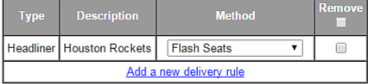
If you are only certain that some of your Houston Rockets inventory will be Flash Seats, you may select specific games:

If you are certain that all of your Houston Rockets home games will be Flash Seats, along with other inventory that you possess for this venue, you may set a venue delivery rule:
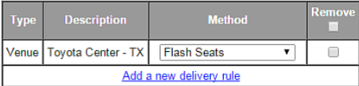
Please be advised that setting a FedEx delivery rule will not prevent the listing from defaulting to Special Delivery once the shipping window has passed.