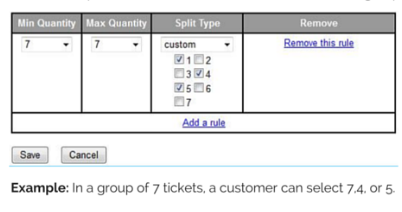
Global split rules may be set through the Vivid Seats Broker Portal. The rules that are set will designate how many tickets you are willing to sell out of a ticket grouping of a selected size. The ticket split rules you create in the Vivid Seats Broker Portal will be implemented for all of your listed inventory.
Note: Global split rules will override any split rules that have been entered into a point of sale.
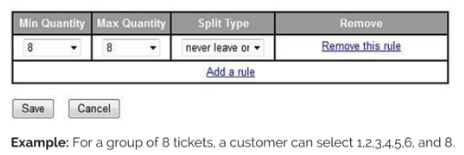
To create a global split rule, proceed to your Vivid Seats Broker Portal and click on the "Ticket Splits" tab. Within that page, you will see a link to create a new split rule.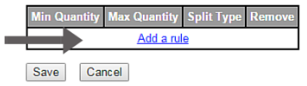
Global Ticket Split Rules:
- These rules override all DEFAULT split types
- If you use bulk upload and don't supply split types, DEFAULT
- Any quantities not included in the rule will use the Default split type
There are different drop-downs when creating a split rule:
- Minimum Quantity: Range of 1-100
- Maximum Quantity: Range of 1-100, unlimited
- Split Type: Default, Never Leave One, Any, Custom
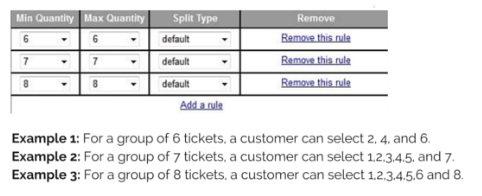
Split Type: Default
For quantities over 8, customers can select even quantities out of even ticket groups and can never leave you with a single for odd quantities. For quantities of 8 or more, you are never left with a single.
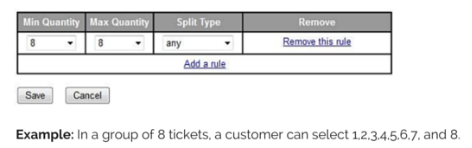
Split Type: Any
Customers can select any number of tickets out of the ticket group.
Split Type: Never Leave One
Customers can select any ticket quantity, so long as it does not leave you with a single ticket.
Split Type: Custom
Select what quantities a customer is able to select out of a group.