
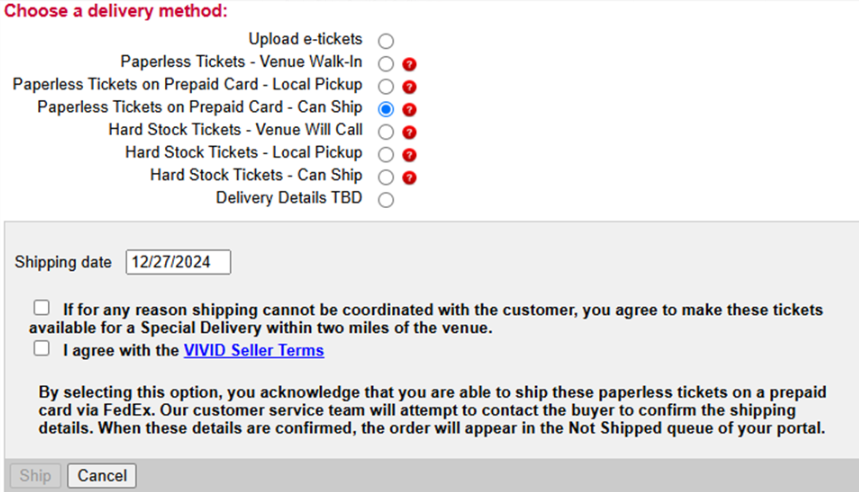
Paperless Tickets on Prepaid Card - Can Ship
- Choose "Paperless Tickets on Prepaid Card - Can Ship"
- Select an accurate ship date
- Check the boxes to indicate that you agree to Vivid Seats Seller Terms and Conditions
- Click "Ship." This will alert the customer and the Vivid Seats Customer Service department that an airbill is required. The order will now appear under "Pending Vivid Action" until the customer's shipping address has been confirmed.
Once the customer has confirmed their address, the order will appear in "Urgent Action Required" or "Not Shipped" (depending on the ship date indicated) and allow you to generate an airbill.